Build in a Language You Love

My journey into web development
When I first set out to build my own website, I had a clear goal in mind: build it the old school way.
That meant no frameworks, no bundlers, nothing like that. Only HTML, CSS and a bit of JavaScript where I had to. I wanted to learn the basics, and I figured the constraint would both challenge me and keep the whole thing simple.
I got the site 90% of the way there. Everything was in place exactly how I wanted it, except for one core feature: the blog.
YouTube
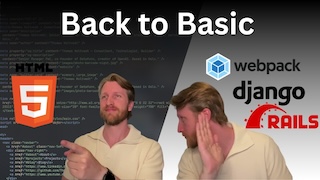
The first part of the journey is documented on YouTube:
Choosing the path forward
I enjoyed the challenge and I liked the result, but I hated the languages. HTML, CSS and JavaScript, and the thought of writing every future article in them gave me nightmares. So I decided it was time to look at my options.
This time I went in with a different goal: happiness. Projects like this take time and effort, so enjoying the work is not a nice-to-have, it’s the whole point. Whatever language I picked would have to bring me some joy. And going through the options, my mind kept returning to one language I had been flirting with for a while, without ever daring to take the step: Swift.
For someone who at the time had never even owned a Mac, that might seem like a strange choice. But something about it kept calling to me. I had stolen my wife’s Mac on several occasions just to play around with it, and Swift keeps getting more accessible on Windows and Linux too. The bright red bird was showing me the way. Swift it is.
The next step was figuring out how. I had two requirements:
- Keep the site static, so I could host it without a database and keep both cost and complexity down.
- Be able to write and publish articles in a way that actually felt comfortable.
The answer to both came in the shape of Ignite, a static site generator written in Swift with Markdown support. It meant I could describe my entire website in Swift and have it compiled down to static HTML, and best of all, write my articles in Markdown.

Rebuilding the site
The first job was to rebuild everything I had already made. Every page, every component, the whole layout and design, ported from hand-written HTML and CSS into Swift. Ignite uses a SwiftUI-like syntax, so pages are built from composable Swift types rather than markup, and the theme lives in code alongside them.
It sounds like a lot of work to redo something that already worked, and it was. But it went faster than I expected, and something interesting happened along the way: I stopped dreading the work. Instead of fighting HTML tags, I was writing Swift. Same site, same output, completely different experience.
Adding the blog
With the site rebuilt, I could finally build the thing that had stalled the whole project. I added the article layout, the blog landing page, individual post pages, a “latest posts” section on the front page, a full archive, and tag-based categories so posts can be filtered by topic.
Every article is a plain Markdown file with a small block of frontmatter at the top. Ignite reads those files at build time and turns them into pages. No admin panel, no database. The content is just files in a git repository, which turned out to matter a great deal for the next part.
The workflow
The last piece was publishing, and this is where my own software comes in.
Yggdrasil is the “everything software” I have been building for myself — my personal org system, roughly Obsidian and Neovim rolled into one. It handles my notes, and it’s also a code space where my project repositories live side by side with those notes. That meant the site repo could simply live inside Yggdrasil, and publishing became a local action rather than an API call to some remote service.
So I built a publish command into it. It drops the finished Markdown file into the site repo, then commits and pushes to GitHub automatically.
From there GitHub Actions takes over. A push triggers a workflow that compiles the Swift project, runs the Ignite build, and deploys the generated static site to GitHub Pages, which is served through my Cloudflare domain. The hosting setup never changed, only what gets built and pushed to it.
The other half of the workflow is where the writing happens. Because articles are just Markdown, I can write them wherever I want. In practice that means Obsidian when I’m drafting on the go, or Neovim inside Yggdrasil when I’m already deep in a coding session. Both end up in the same place, and the same publish command ships them.
Find your language
The site works the way it does today because I stopped asking which language was correct and started asking which one I’d actually enjoy using. That’s not an argument for Swift specifically, it’s an argument for taking your own enjoyment seriously as a technical requirement.
Side projects usually don’t die because the technology was wrong. They die because you stop opening the editor. My blog sat at 90% done for months, not because it was hard, but because the last 10% was work I dreaded. Changing the language changed that, and the project finished itself.
So find your language. The one that makes you want to sit down and build.
Author: Thomas Holtvedt
Published: 4 August 2026
Last Modified: 9 August 2026
1044 words; 5 minutes to read.