OpenGS Map Tool 0.4
Version 0.4 is the biggest release the project has had (at least since its inception). Five months of work between 0.3 and here, both from me and the amazing Open Grand Strategy Community.
The short version: Brand new UI, save, load and share current map assets by using projects, console support, auto-builds on commit (for Windows, Linux and Mac!), reworked engine with multithreading and a whole lot of changes behind the curtains. Basically we went from a collection of scripts to something that is properly structured and rigged for scale and maintainability.
Showcase
Input land map: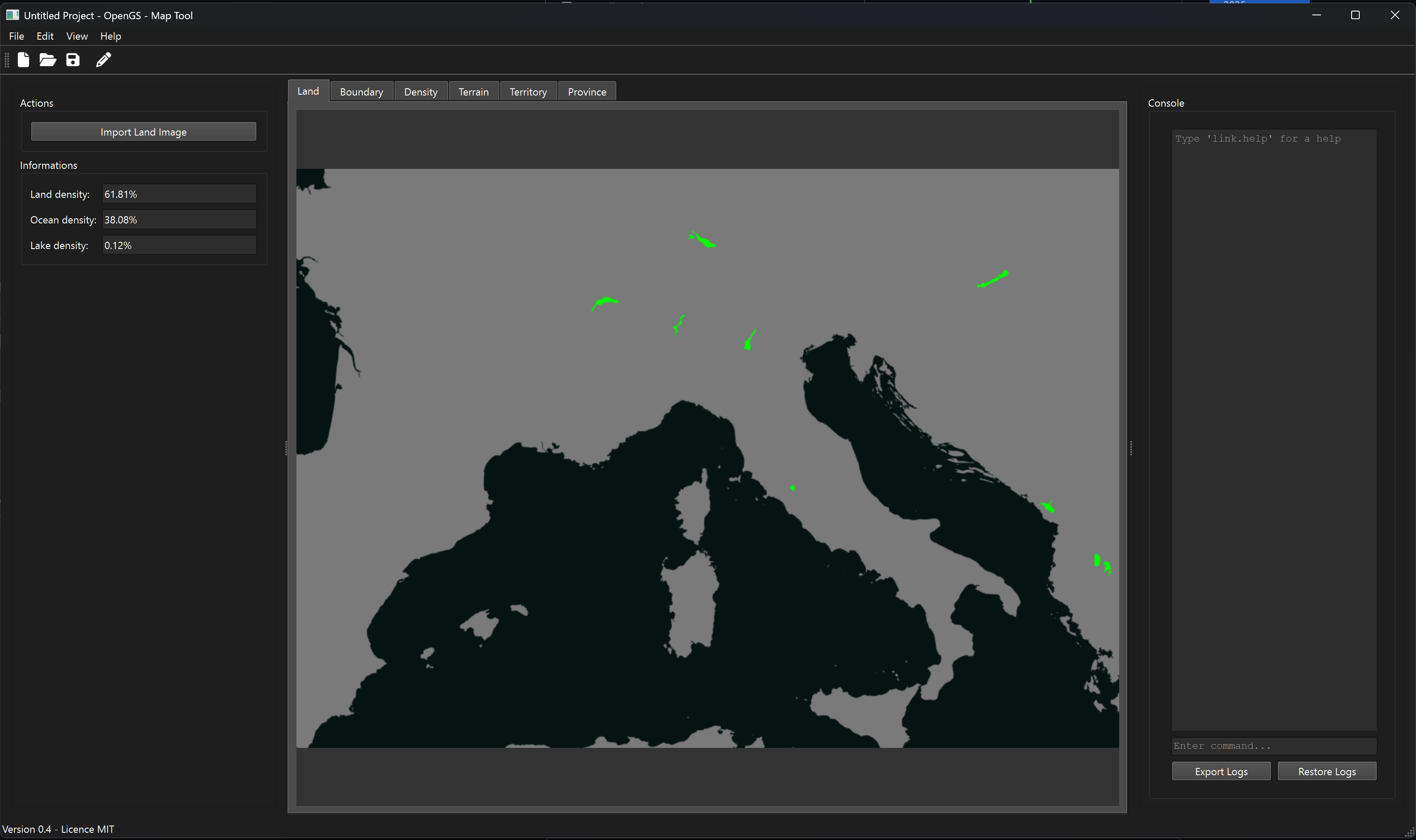 Output Territory image: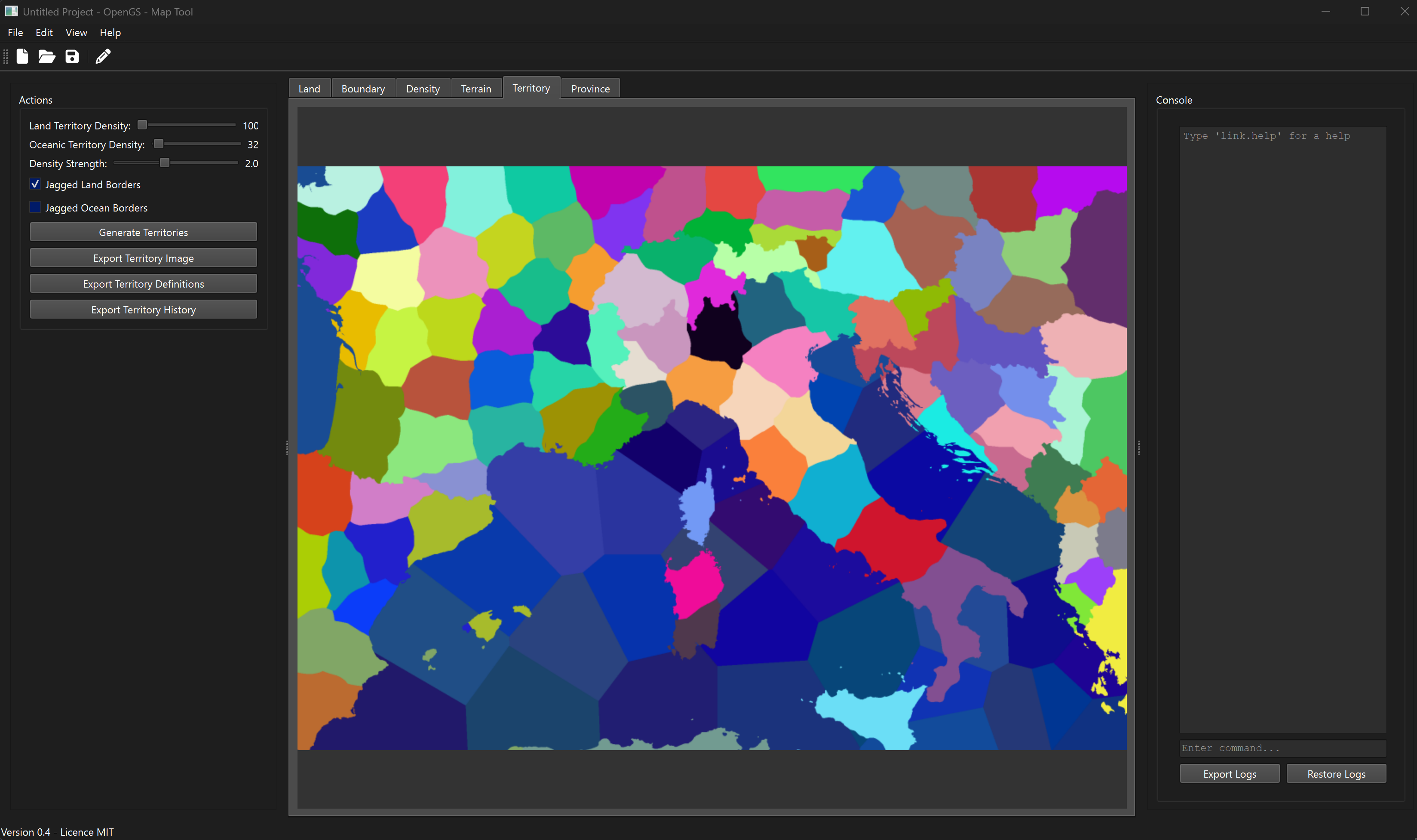
New features
- A completely new interface, rebuilt from the wireframe up — tabbed map views, a left action panel that changes with the tab, and a resizable three-panel layout
- Projects are real files now. Save and open your work as a
.gsmapfile that carries your images, generated data and project metadata together - Project details window for naming a project and recording a description and author
- A built-in console. Type commands to drive the tool, with argument parsing, validation, help text and proper error messages
- Live progress bars for generation, broken into named phases so you can see what the tool is actually doing
- Task notifications that appear while work runs, with a cancel button that stops a generation cleanly instead of freezing the app
- Generation runs in the background, so the window stays responsive while a map is being built
- More image export formats — JPEG, BMP, GIF, TIFF and WebP alongside PNG
- More data export formats — YAML and XML for territories, provinces and histories, alongside JSON and CSV
- Guardrails that lock the image imports and generate buttons while a map is being built, so the inputs cannot change underneath a running job
- Downloads for Windows, macOS and Linux, built automatically on every release
Improvements
- Structured logging that writes to a proper per-platform location instead of scattered print statements
- Image previews now scale to the space available instead of a fixed size
- The Land tab reads its statistics from the loaded image rather than showing stale numbers
- Progress notifications follow the system light and dark theme
- Documentation for the console, the
.gsmapformat, the export formats and the image formats - Installable with
pip install .and launchable from anywhere
Fixes
- Progress bar could get stuck on fast operations and never report finishing
- Progress bar said “Cancelling…” on tasks that had simply completed normally
- A task that returned early left its progress bar hanging forever
- Left panel was blank on startup until you switched tabs
- Regenerating provinces gave territories duplicate province IDs
- Refreshing a panel with no matching type crashed the app
- Buttons stayed clickable while importing or creating a project
- Saving without typing a file extension now adds the one you picked
- The “All files” filter stopped default formats being recognized
- Console output was not serialized correctly before being displayed
Under the hood
Less visible, but this is what made the rest possible:
- Flat script files reorganized into models, services, controllers and UI
- Services and controllers centralized so components stop reaching into each other
- Proper packaging with
pyproject.toml - A test suite covering the command parser, task and progress controllers, logging, notifications, the main window and the file dialogs
- Automated releases through GitHub Actions
The magic of open source
I made this tool originally because I needed it to create a Grand Strategy Game, and I thought others might like it as well and therefore I chose to give it away under the MIT license. The license basically says “Take the code and do as you wish, I have no responsibility”, which makes it a gift with no strings attached.
Then the coolest thing happened: What I gave away came back better. Of the commits between 0.3 and 0.4, 33 came from GermanCodeEngineer and 19 from guiguitator (Guillaume Meunier). Four came from me. I spent most of this release reviewing and merging other people’s work.
And it is not small work either. Guillaume rebuilt the entire user interface and built the project framework that turns this from a script into an application you can actually keep your work in. GermanCodeEngineer built the console and command system, the background task and progress infrastructure, the logging service, and dragged the whole codebase into a structure that can be maintained. Between them they did the two hardest jobs on the project.
I gave away something small and got back something much bigger. Not because anyone owed me, but because when you put work out in the open, people who care about the same problem can find it. They bring skills you do not have. They fix things you had stopped being able to see. The tool is now way better than anything I would have built alone.
Getting it
Grab a build from the Releases page for Windows, macOS or Linux.
The builds are not code signed, so Windows and macOS will warn you the first time you open one. On Windows pick “More info” then “Run anyway”. On macOS right-click the app and choose “Open”.
If you would rather run from source, clone the repo and pip install .
Author: Thomas Holtvedt
Published: 21 August 2026
Last Modified: 21 August 2026
1051 words; 5 minutes to read.